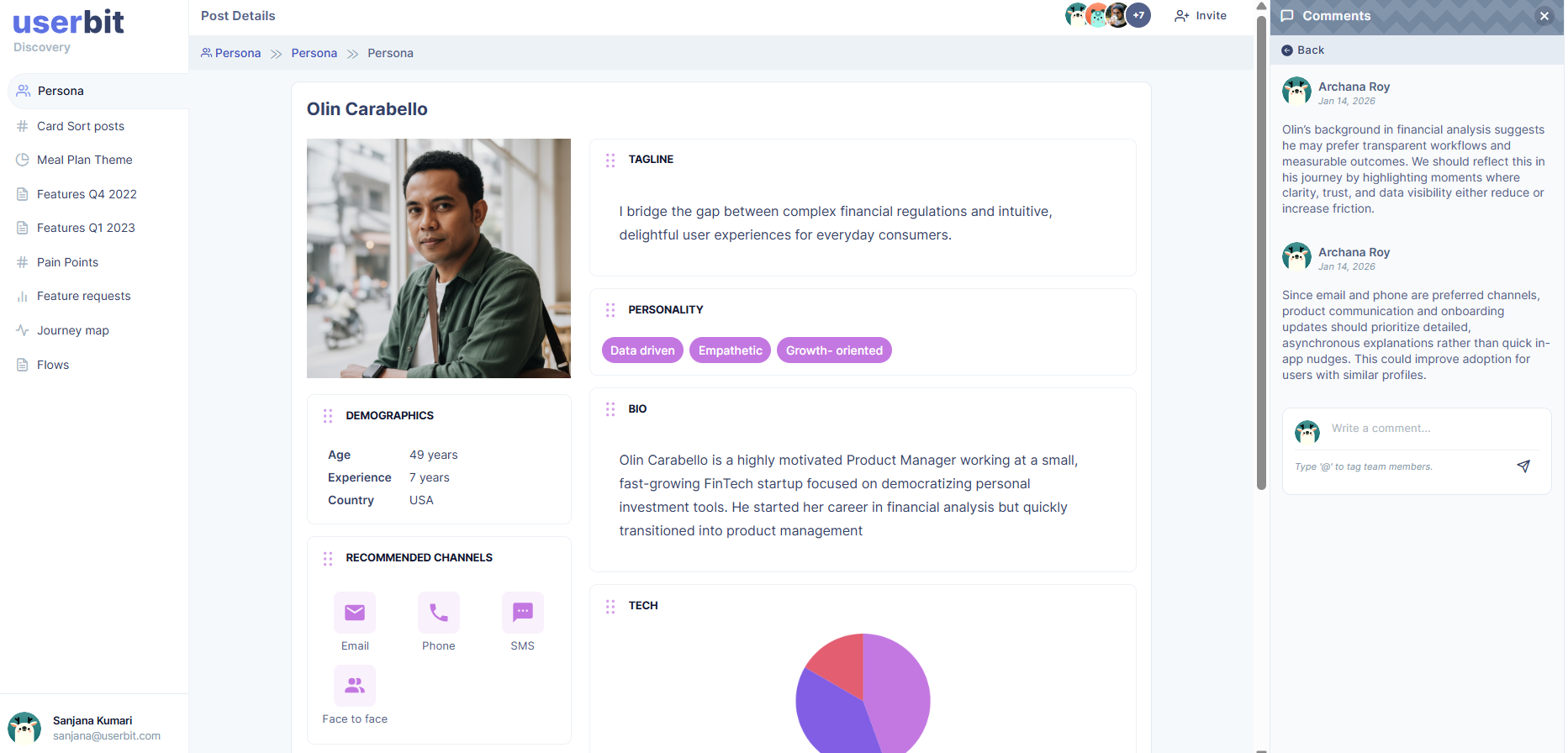
Share and Publish
Personas are meant to be shared. Sharing ensures your personas don’t stay as internal documents. By making them accessible, you help teams align around user needs, make informed decisions, and keep research visible across the organization. Personas by UserBit gives you multiple ways to share your personas quickly and professionally.
Share via Link
Sharing via link makes it easy to present personas to stakeholders, teammates, or clients without exporting files. It’s ideal for quick reviews, feedback sessions, or secure external sharing.
There are three ways you can generate a shareable link for any persona:
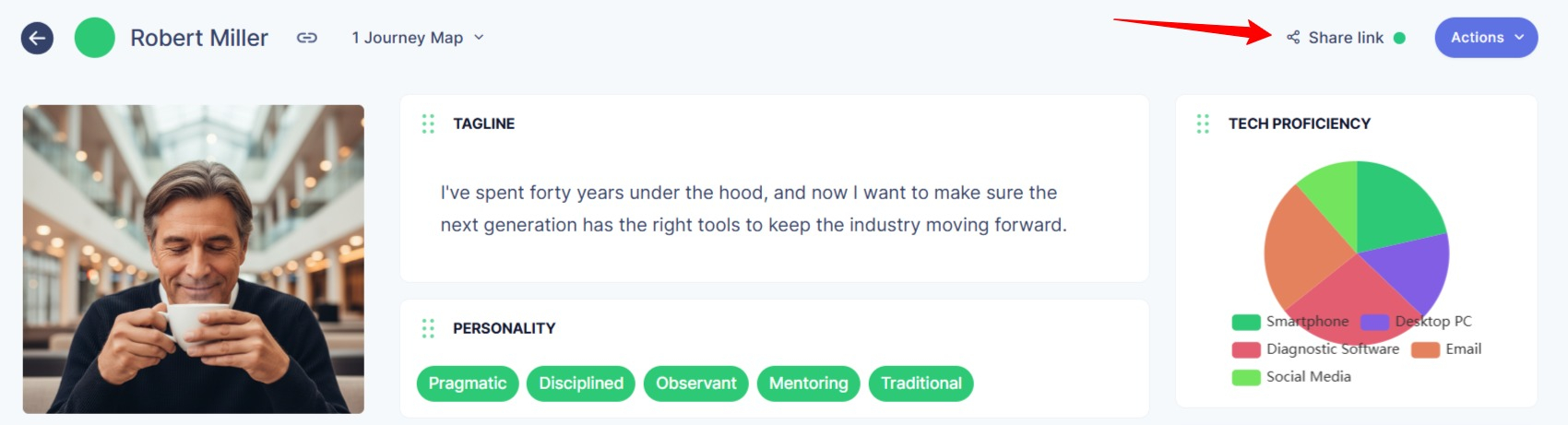
- Click on the Share link option on the top-left corner of the persona page.
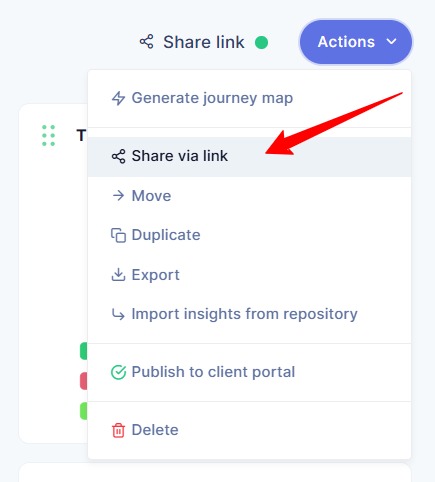
- Click on Action>Share via Link.
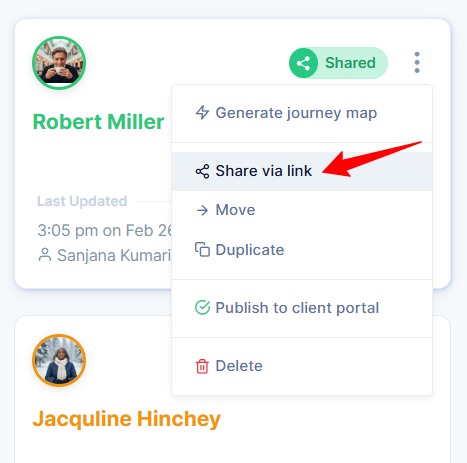
- Click on the three-dot (⋮) icon on the persona card and select Share via Link.
After selecting any of these options, a screen will appear where you can generate a unique link by clicking on Generate Shareable Link.
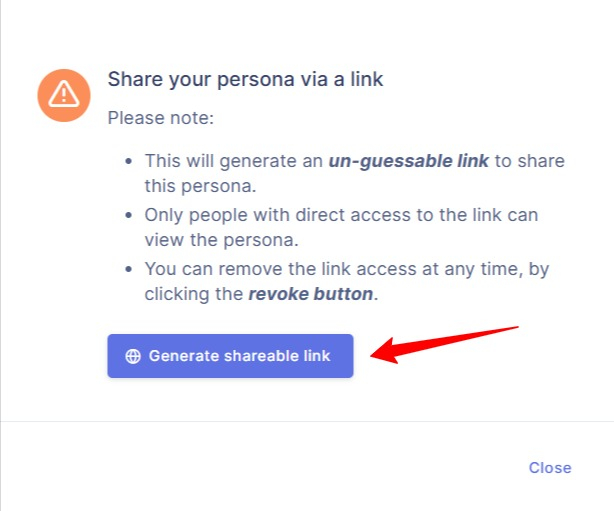
Once the link is generated, you can copy it and share it with teammates, stakeholders, or clients. Anyone with the link will be able to view the persona without editing the original version.
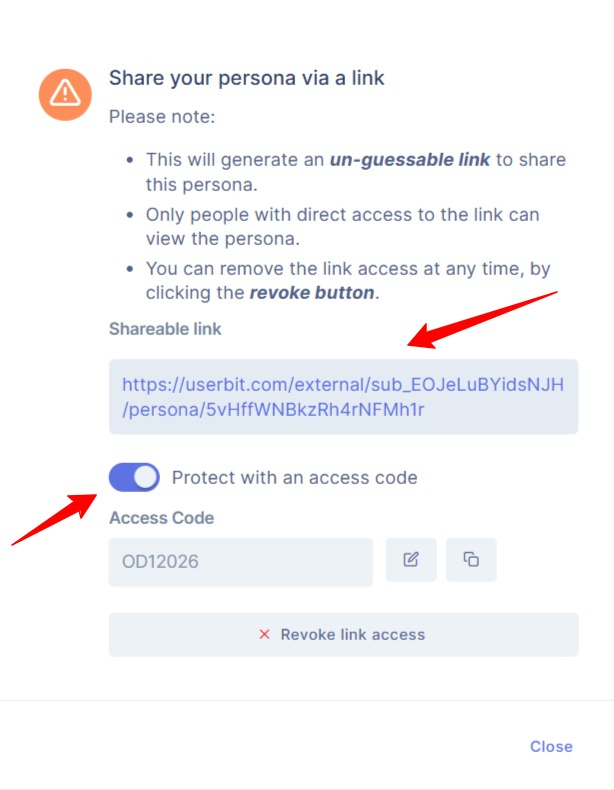
For additional security, you can protect the link with an access code. Anyone opening the link will need to enter the code before viewing the persona
You can revoke the link access at any time. This gives you full control over who can access your study results and when.
Download Persona
If you’re on the Unlimited plan, you can download the persona. Downloading a persona allows you to create a static version that can be shared offline, included in reports, or presented to stakeholders.
To download a persona, open the persona you want to export and click on Action>Export.
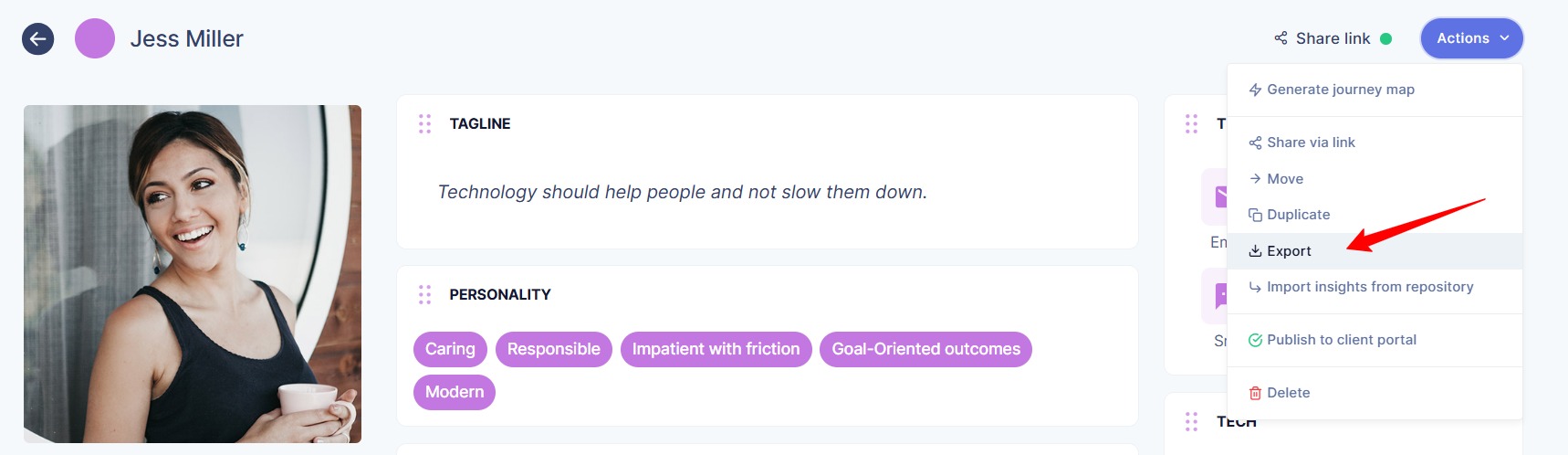
You will then be prompted to choose your preferred format and layout mode. Personas can be downloaded in PDF or PNG format, and you can select either Portrait or Landscape orientation.
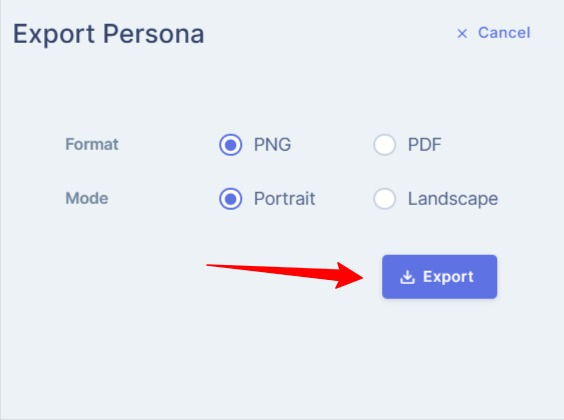
After selecting your desired format and layout, click Export. Your persona will be downloaded instantly.
Share via Client Portal
You can share your persona through a separate portal built specifically for clients and stakeholders. Click here to learn more about publishing the persona to the Client Portal.
How persona appear in Client Portal
When a persona is shared, it is published as a post in the Client Portal. Stakeholders can open the persona to view its full details.
If commenting is enabled, they can also share feedback or ask questions directly within the portal. This keeps communication organized and connected to the study itself.