Integrate with other UserBit tools
Personas by UserBit can be integrated with other UserBit tools — like journey maps by UserBit and Research Repository Insights to add real user context.
Importing insights from the Research Repository
Personas can be enriched directly with insights collected from your Research Repository. This helps you ground persona details in real research rather than manual summaries.
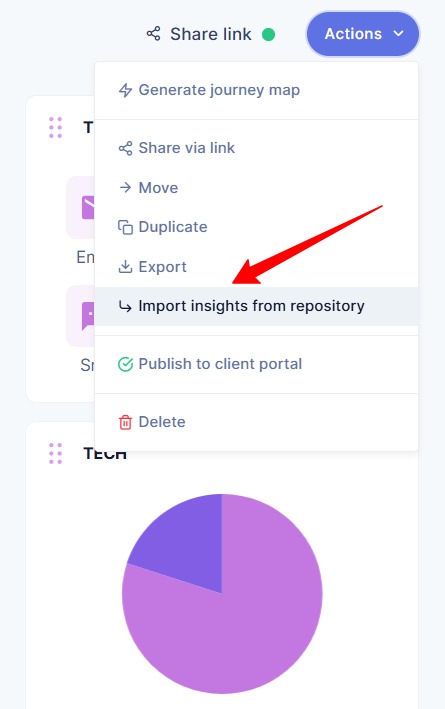
While editing a persona, click on Actions and select Import insight from repository from the dropdown menu.
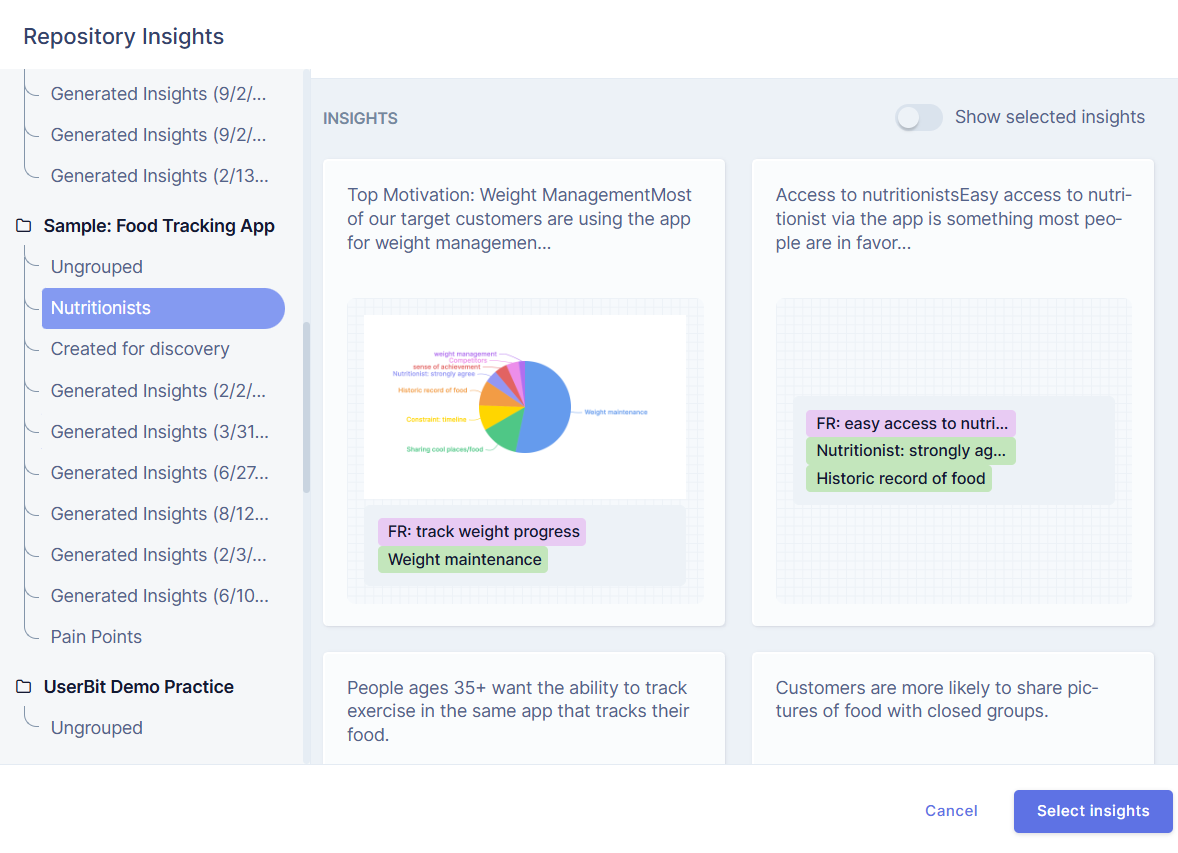
You can then choose the insight you want to add and click Select Insight.
The selected insight will be added to your persona.
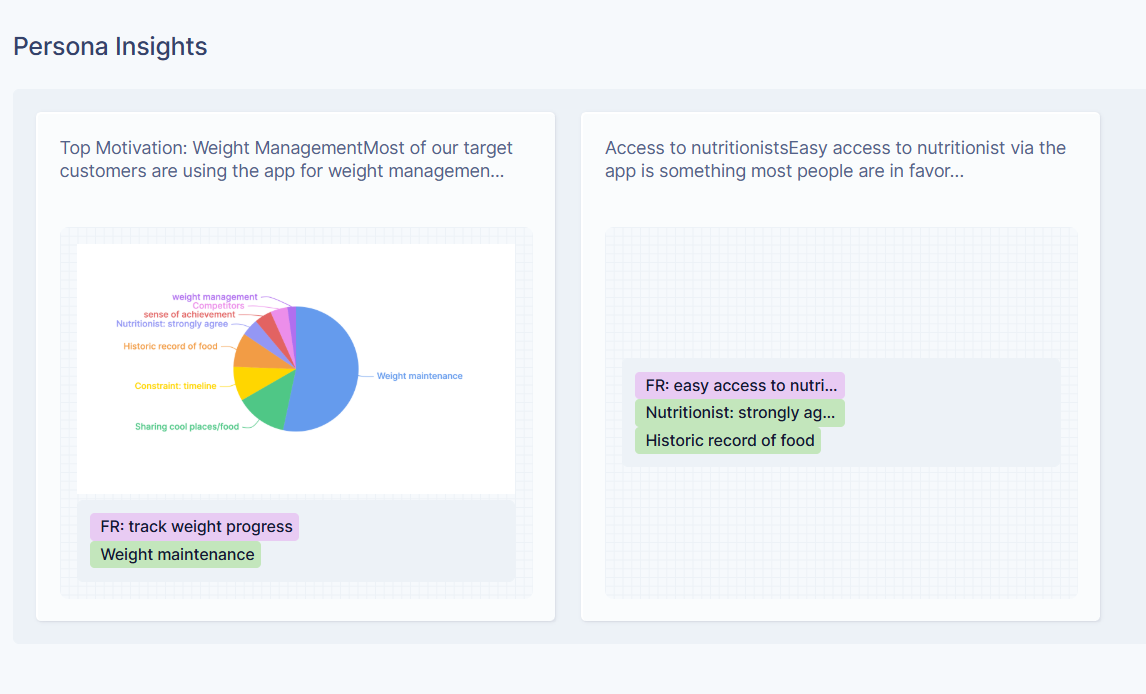
These insights remain linked to the original research source, making it easier to trace where information came from and keep persona content evidence-based.
Viewing journey maps attached to a persona
Personas can be connected to Journey Maps to show how a specific user experiences a product or service over time.
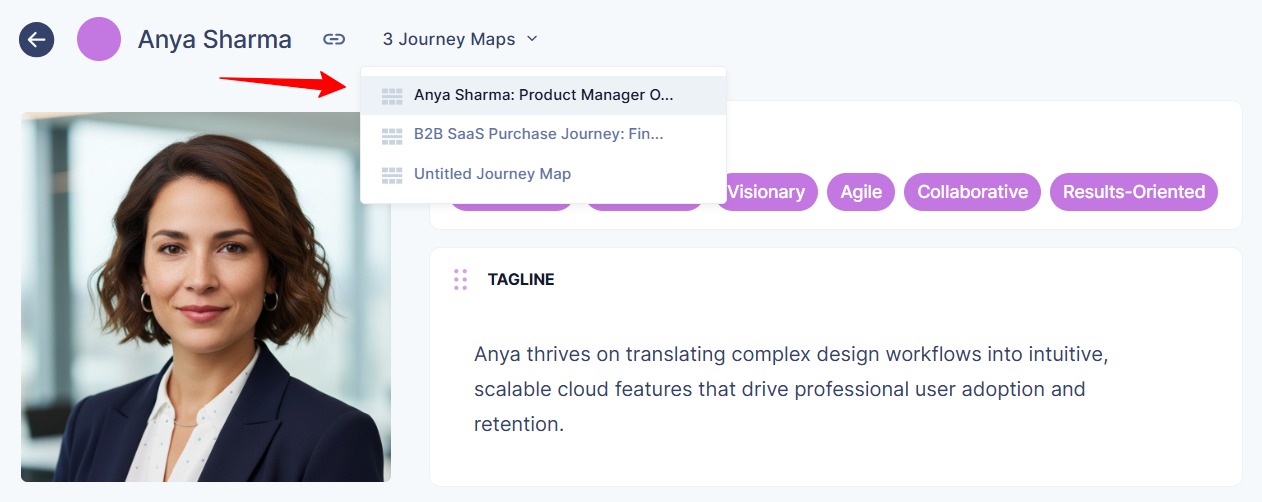
If a journey map is linked to a persona, you can view it directly from the persona page. Connected journey maps appear at the top of the persona profile.
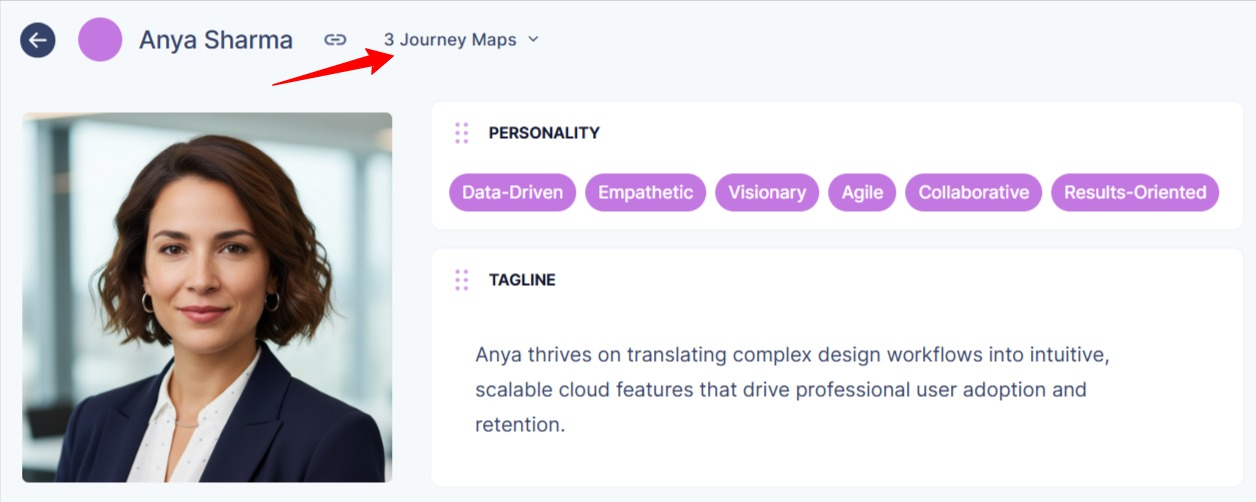
To see the connected journey maps click on the drop-down and select the journey map you want to see.
You will be directed to the journey map.
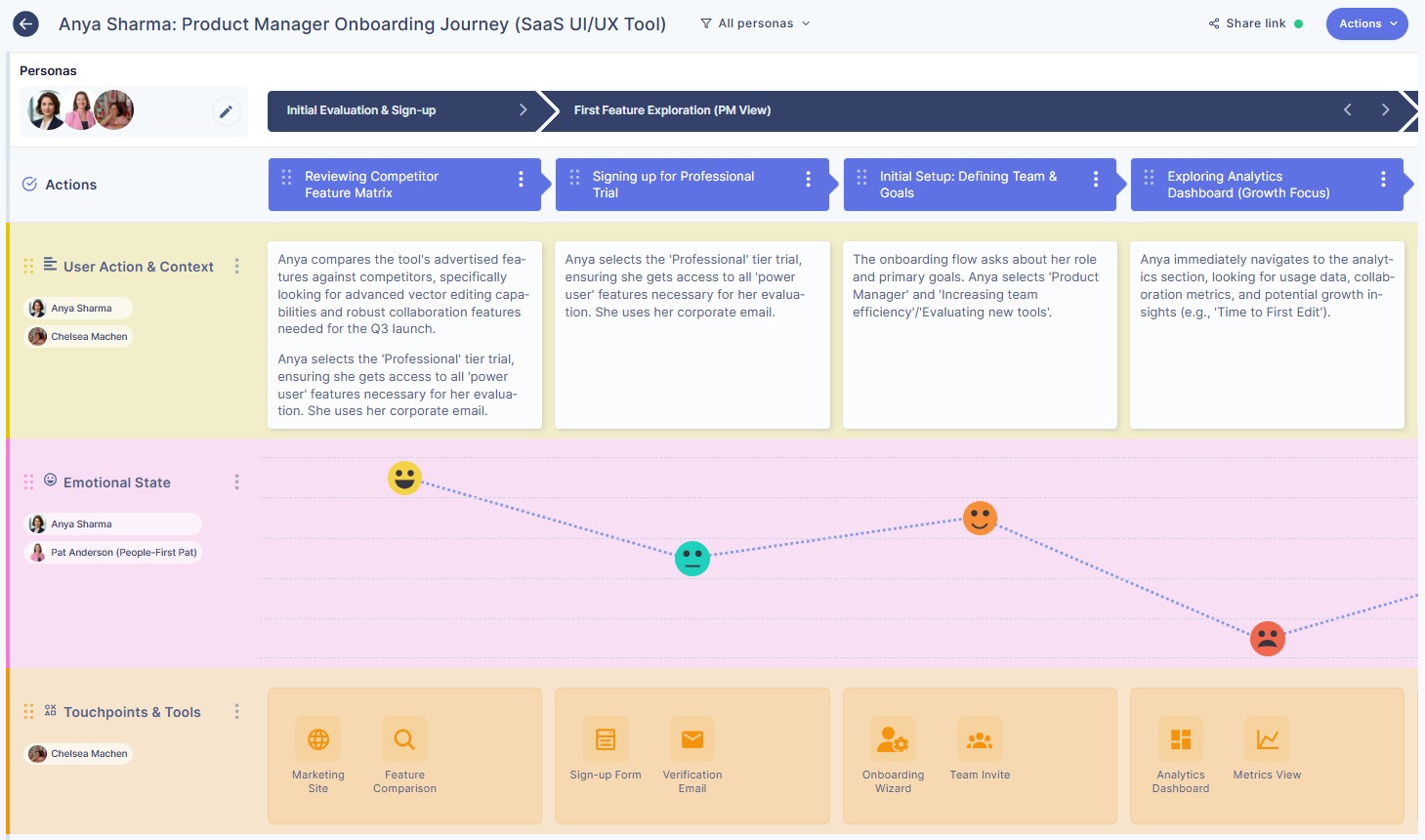
This allows you to move from understanding who the user is to seeing how they interact and what they experience across different stages.
This connection helps teams understand context, behavior, and pain points in a more complete and structured way.