Creating client portal posts from card sort studies
Card Sort studies reveal how users naturally group and organize information. Sharing these results with clients and stakeholders helps everyone understand the logic behind your structure decisions. It makes discussions clearer, supports alignment, and ensures that decisions are based on real user behavior.
In Card Sorts by UserBit, you can share Card Sort studies directly to the Client Portal. This allows stakeholders to view results in a dedicated environment without accessing your workspace.
Publishing a Card Sort study to the portal
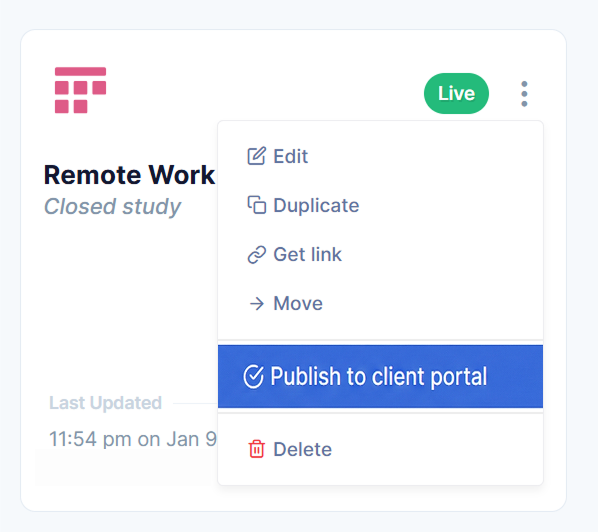
To share a Card Sort study, go to your Card Sorts workspace and locate the study you want to share. From the study options menu, select Publish to Client Portal.
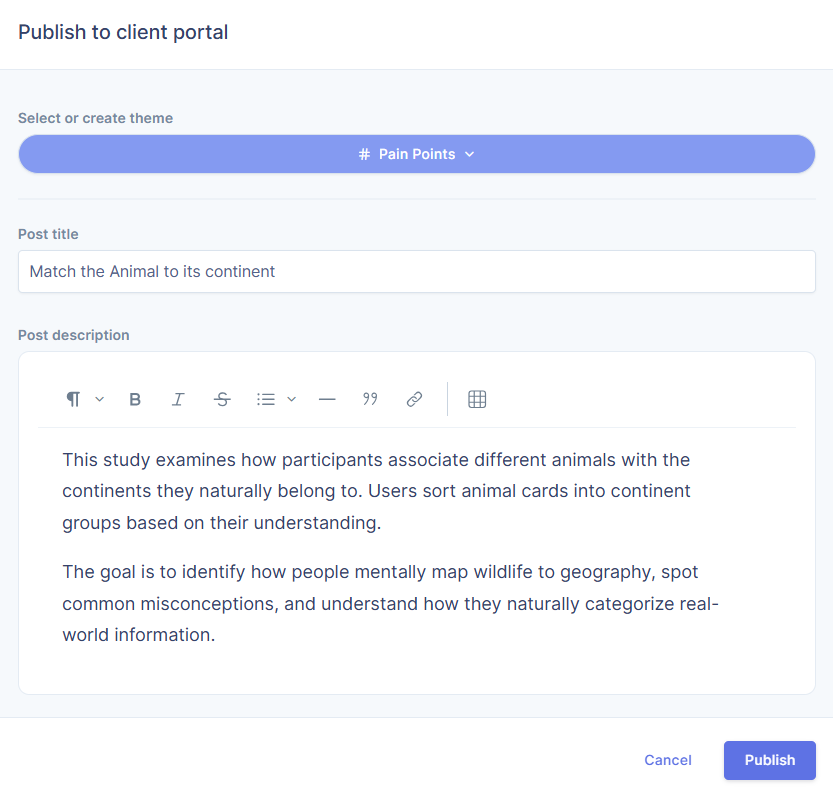
Now you need to select or create a theme, add a title and a description for your post and click on publish. Once shared, the study will appear inside the Client Portal under the selected theme.
Digging deeper
When a Card Sort study is shared, it is published as a post in the Client Portal. Stakeholders can open the study, review the results, and explore the analysis that you have made available.
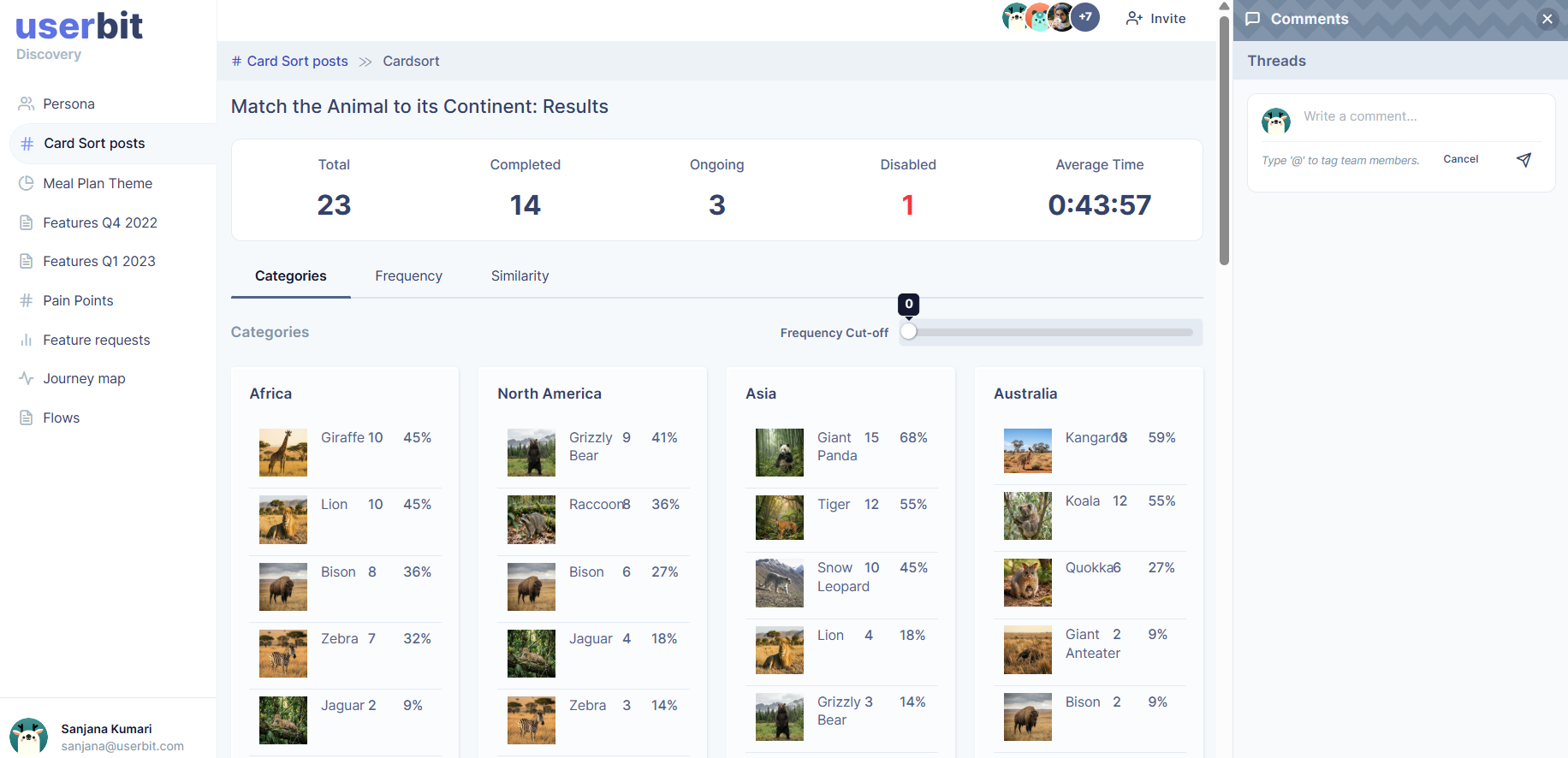
If commenting is enabled, they can also share feedback or ask questions directly within the portal. This keeps communication organized and connected to the study itself.